Fumi - Ren'Py Authoring Suite
A downloadable tool for Windows

Visual tools for Ren'Py development
Build screens, import Ren'Py declarations from your existing project, create ATL animations, map story flow, arrange displayables on a canvas, and work with project source from one desktop application.
Fumi is designed to work alongside your existing Ren'Py project. Its workspaces support different parts of development while keeping generated Ren'Py code visible and easy to copy. Your project source files can be edited directly in Source Workspace.
Available now for Windows. Linux support is planned for the first post-launch update.
Five Focused Workspaces
Fumi is organized into five workspaces, each focused on a different part of Ren'Py development.
Screen Builder & Live Preview
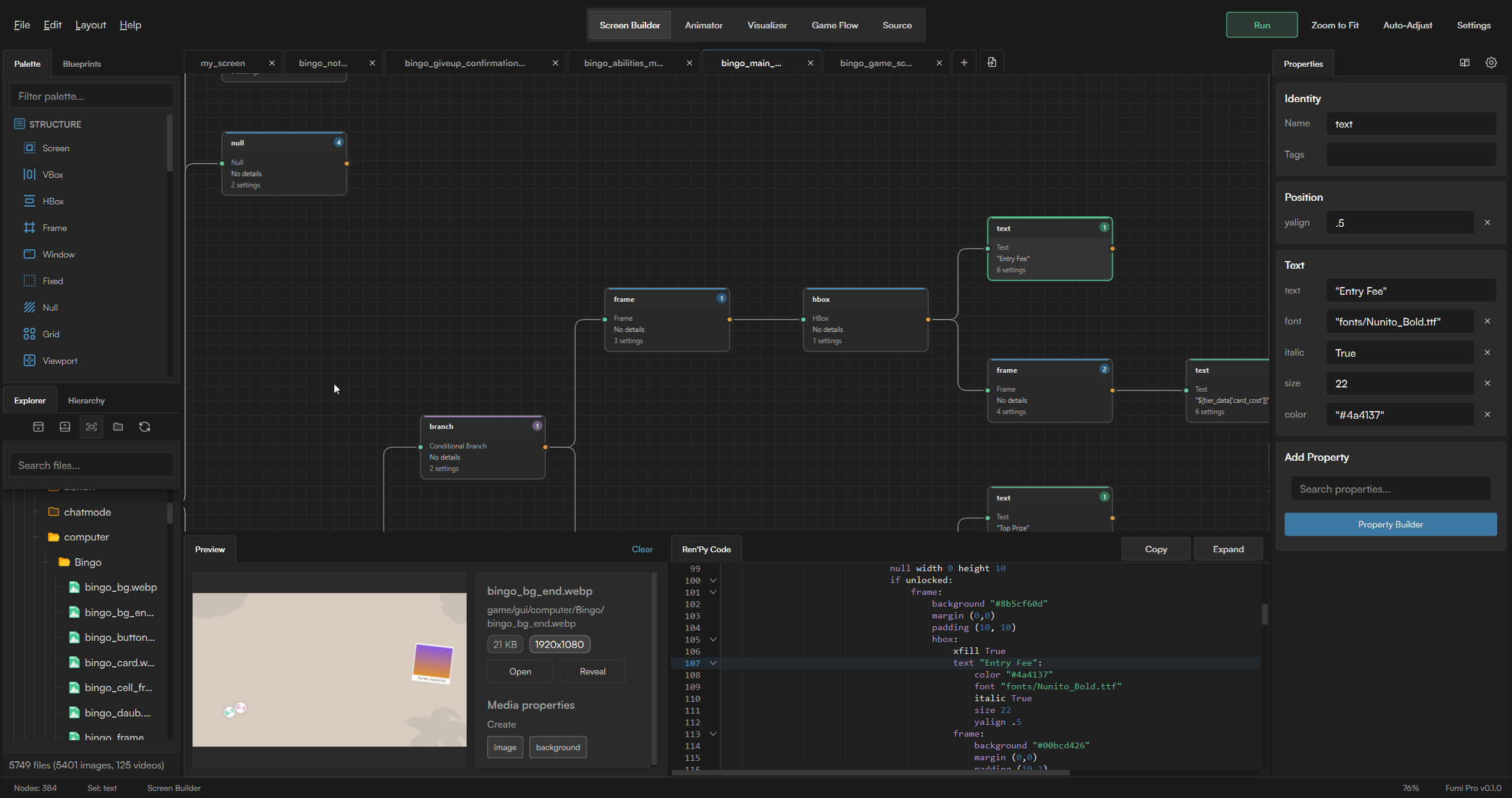
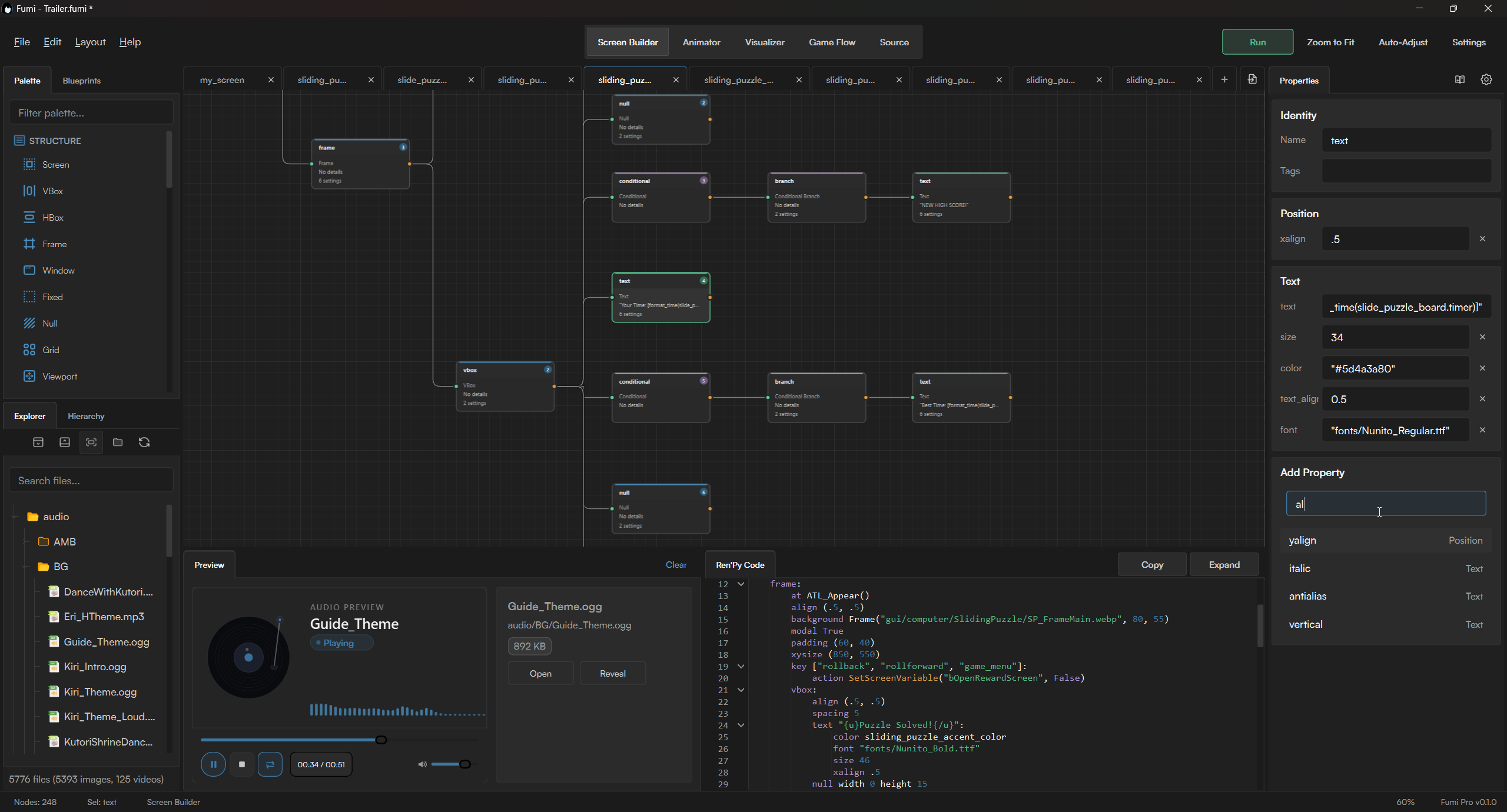
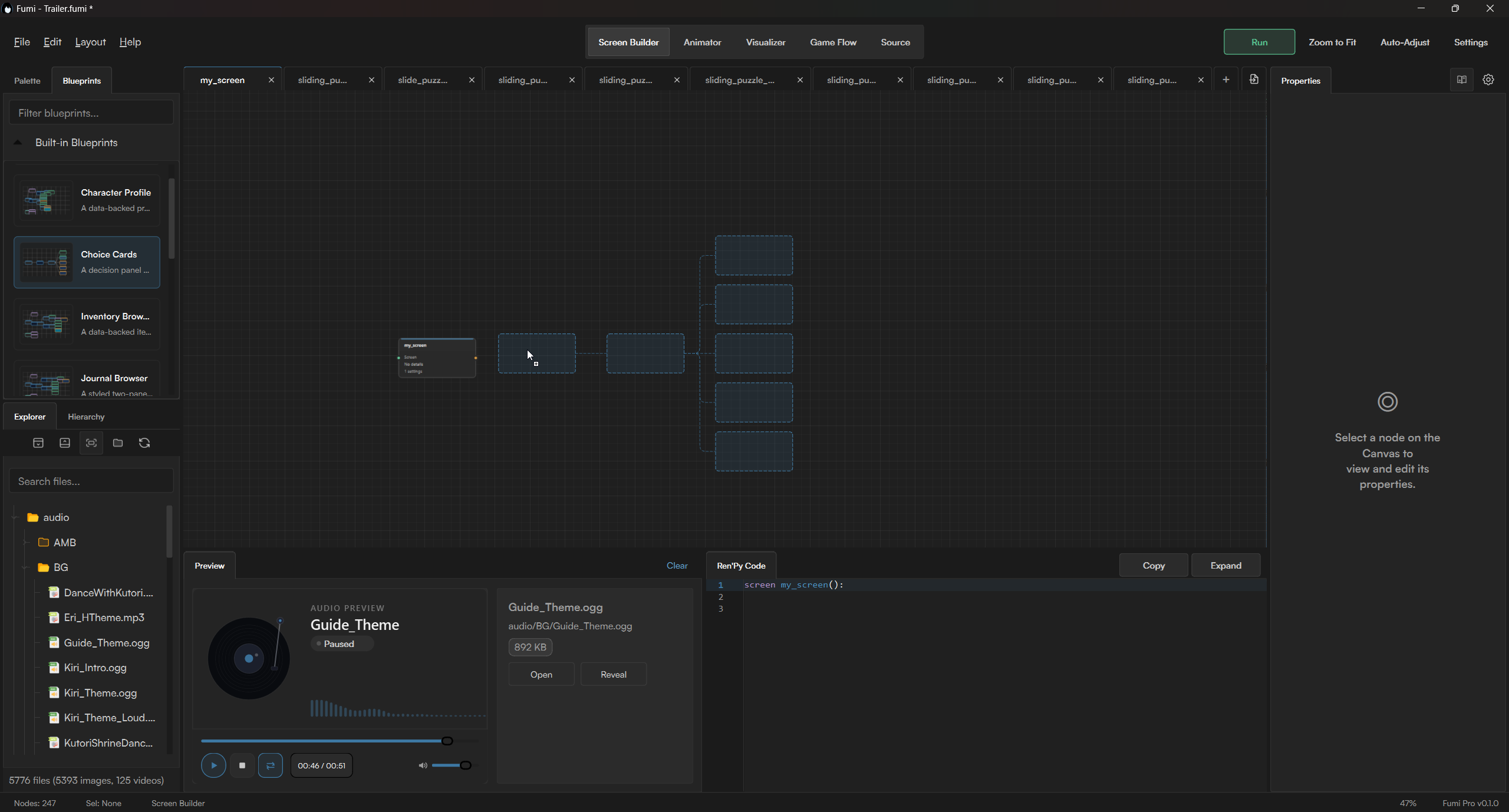
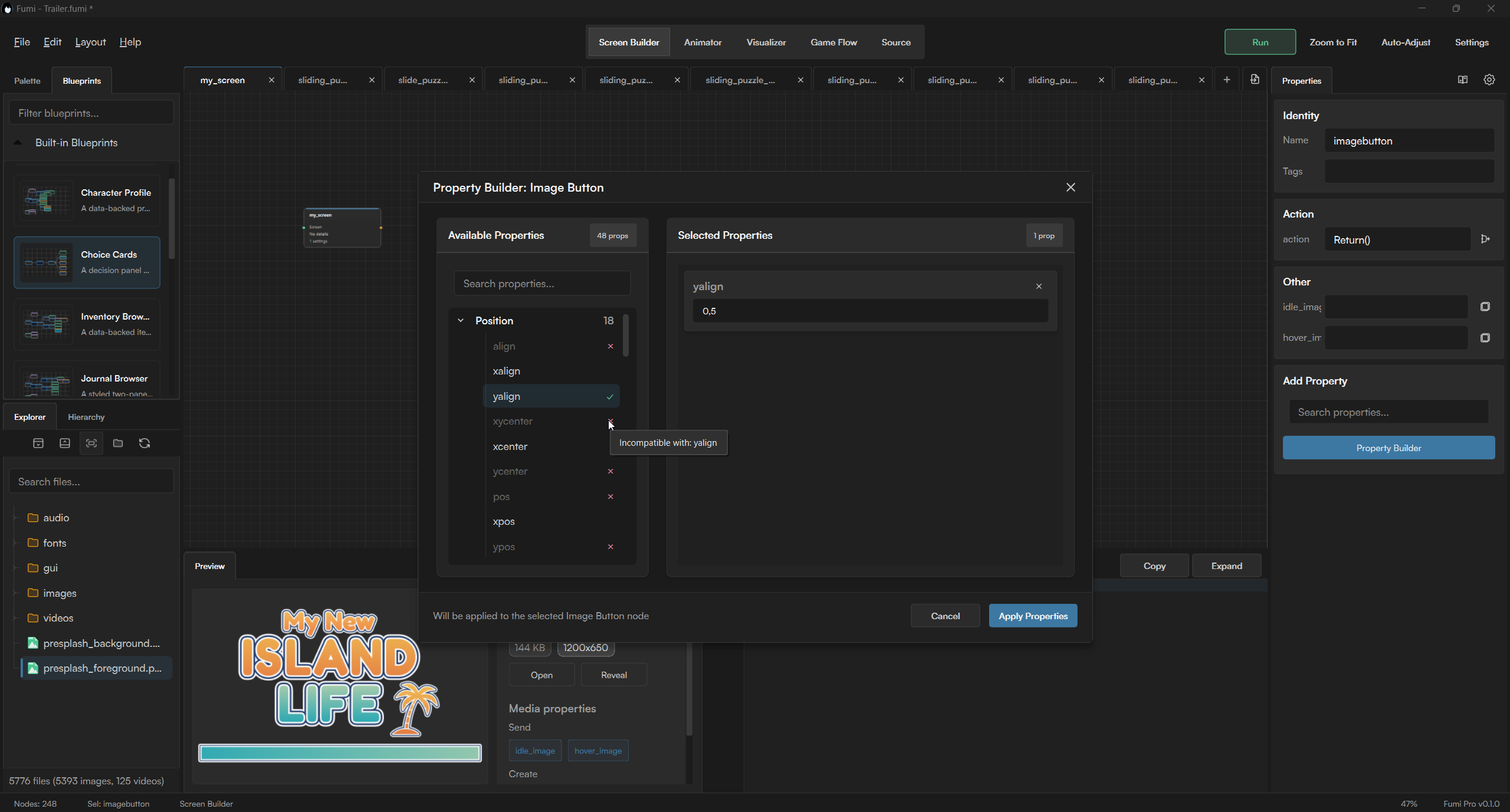
Screen Builder is where Fumi began. It lets you construct Ren'Py screens through a node graph, with nodes representing frames, layouts, text, buttons, images, viewports, and other Screen Language displayables.
Selecting a node opens its properties for editing. The node graph, hierarchy, generated Ren'Py code, and Live Preview all work from the same screen data, so changing something in one place updates the rest with it.
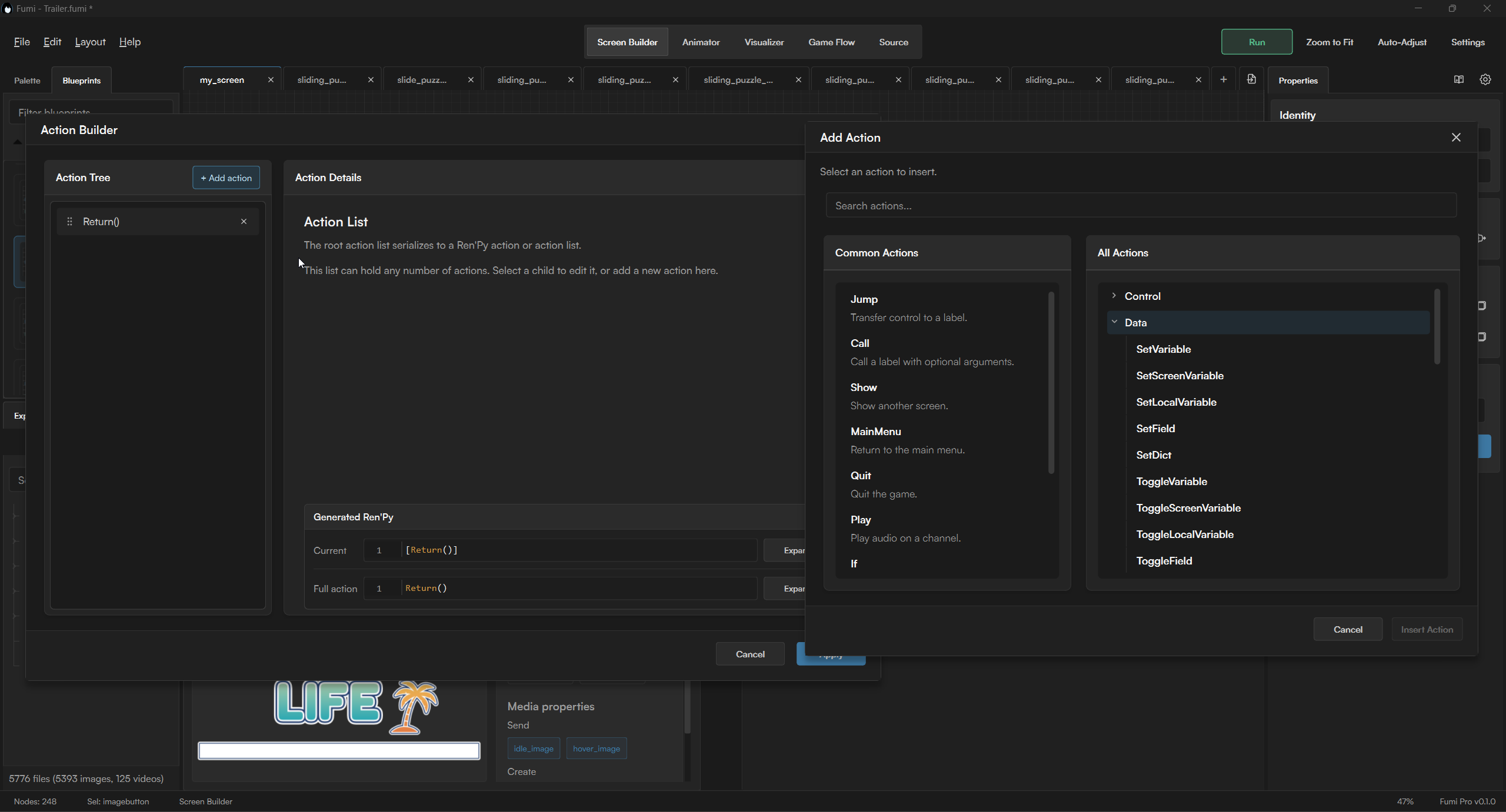
Screen Builder includes specialized nodes for advanced screen behavior. These nodes can respond to events, show or hide content based on conditions, repeat items such as menus or lists, and handle Python or raw Ren'Py statements when custom behavior is needed.
Live Preview runs its own lightweight Ren'Py preview project beside Fumi and displays the screen currently open in Screen Builder. The preview can use images, fonts, and other assets from your actual project through Fumi's Project File Browser, and it refreshes as the screen data changes. This provides a dedicated testing environment without requiring you to create and maintain separate preview labels or manually reopen the screen after each edit.
Game Flow
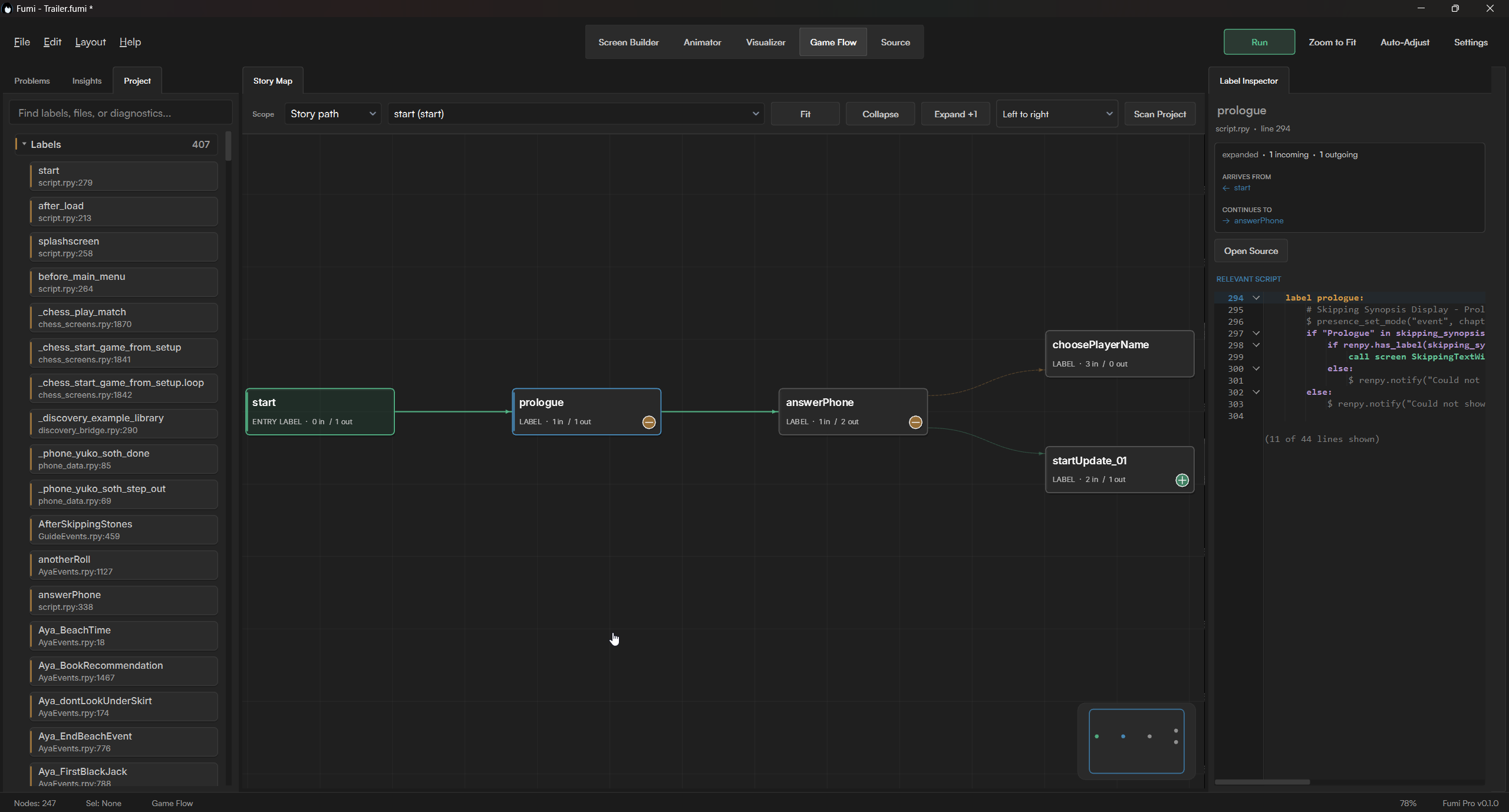
Game Flow reads the labels, menus, calls, and jumps already present in your project and turns them into an interactive map. It is designed for understanding and navigating the structure of an existing Ren'Py project rather than replacing that structure with a separate visual format.
Routes can be expanded one step at a time, so you can investigate the part of the story you are currently working on without opening an unreadable map of the entire project. Connections can continue across multiple script files, and selecting a label lets you inspect the relevant source code beside the graph.
- Follow menus, calls, jumps, and return paths through the project.
- Expand only the branches you need.
- Move between connected labels across different .rpy files.
- Use the discovered project structure as a navigation tool while editing.
Animator
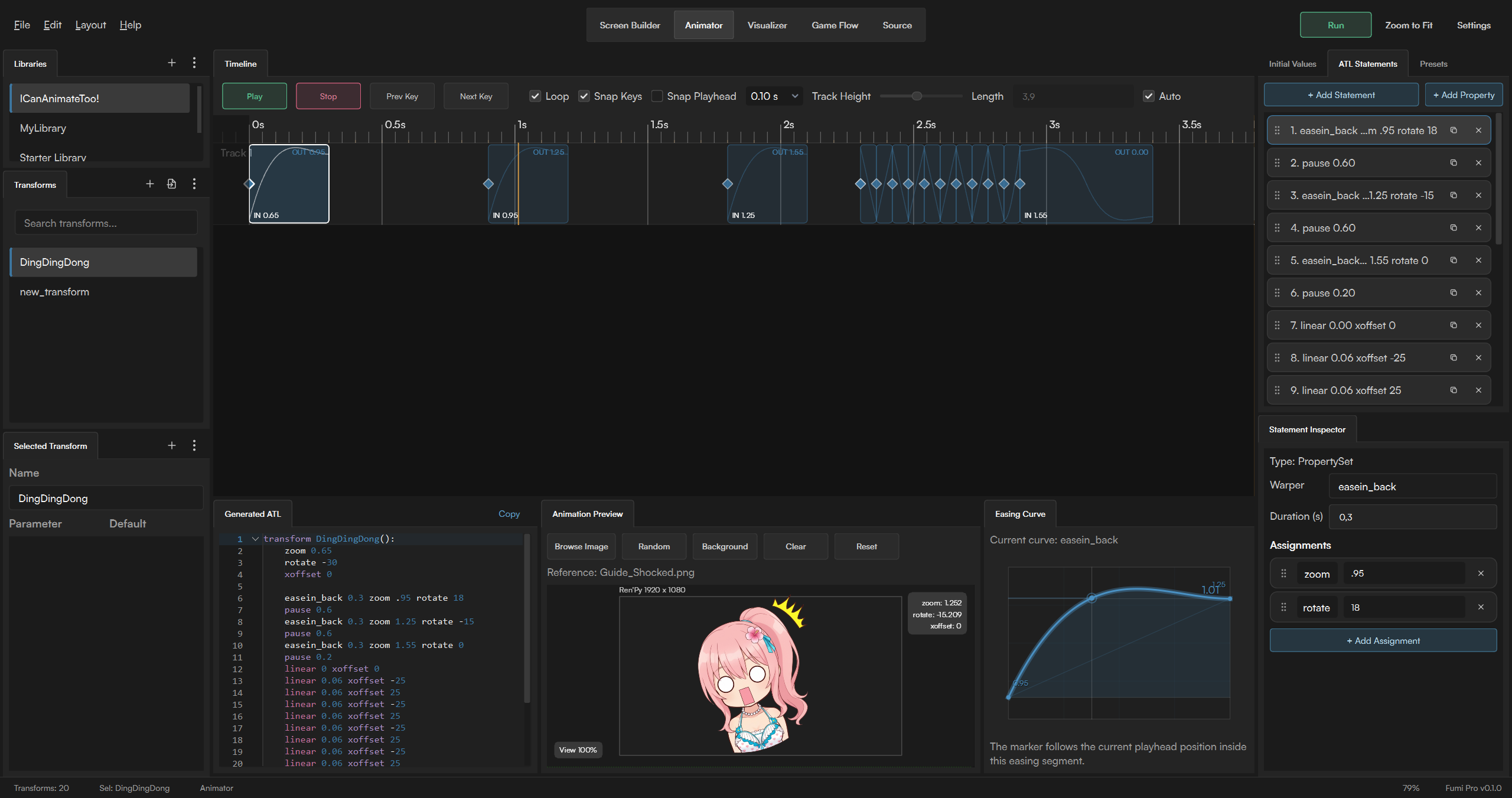
Animator provides a visual timeline for creating ATL transforms. Instead of repeatedly changing timing values in code and launching the result to see what changed, you can build an animation from property tracks and review its movement while you work.
Add keyframes, set their timing, choose from supported Ren'Py warpers, and edit transform properties from the timeline. Playback controls let you review the complete animation or focus on a specific section.
Preview transforms against a reference image, browse project images for visual testing, and save reusable animations alongside built-in preset starters.
Start with a preset or build an animation from scratch, then copy the generated ATL code into your Ren'Py project.
Visualizer (BETA)
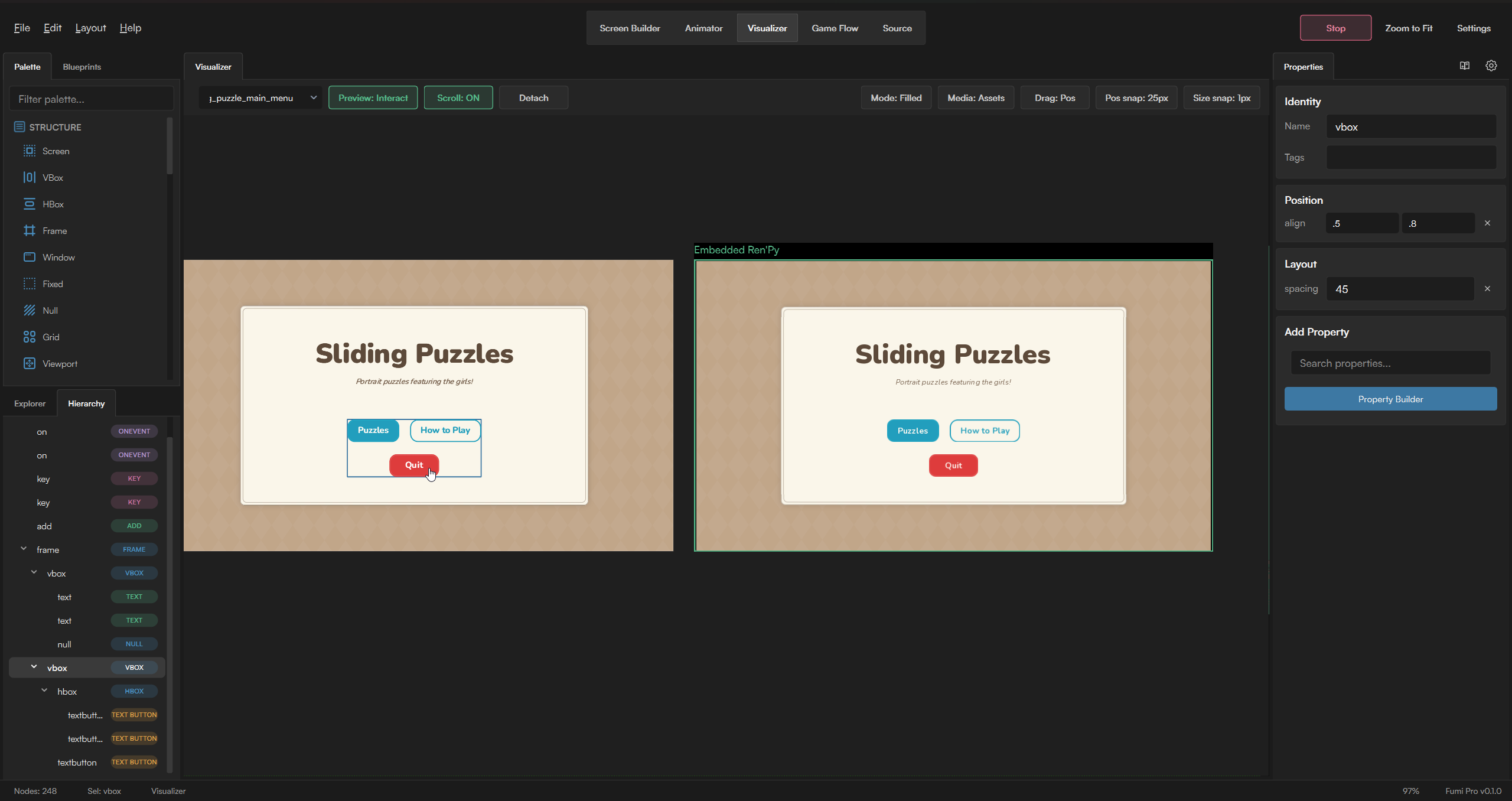
Visualizer is a Pro workspace for editing screen elements directly on a canvas. It provides a more immediate way to handle visual placement while continuing to use the same screen structure as Screen Builder.
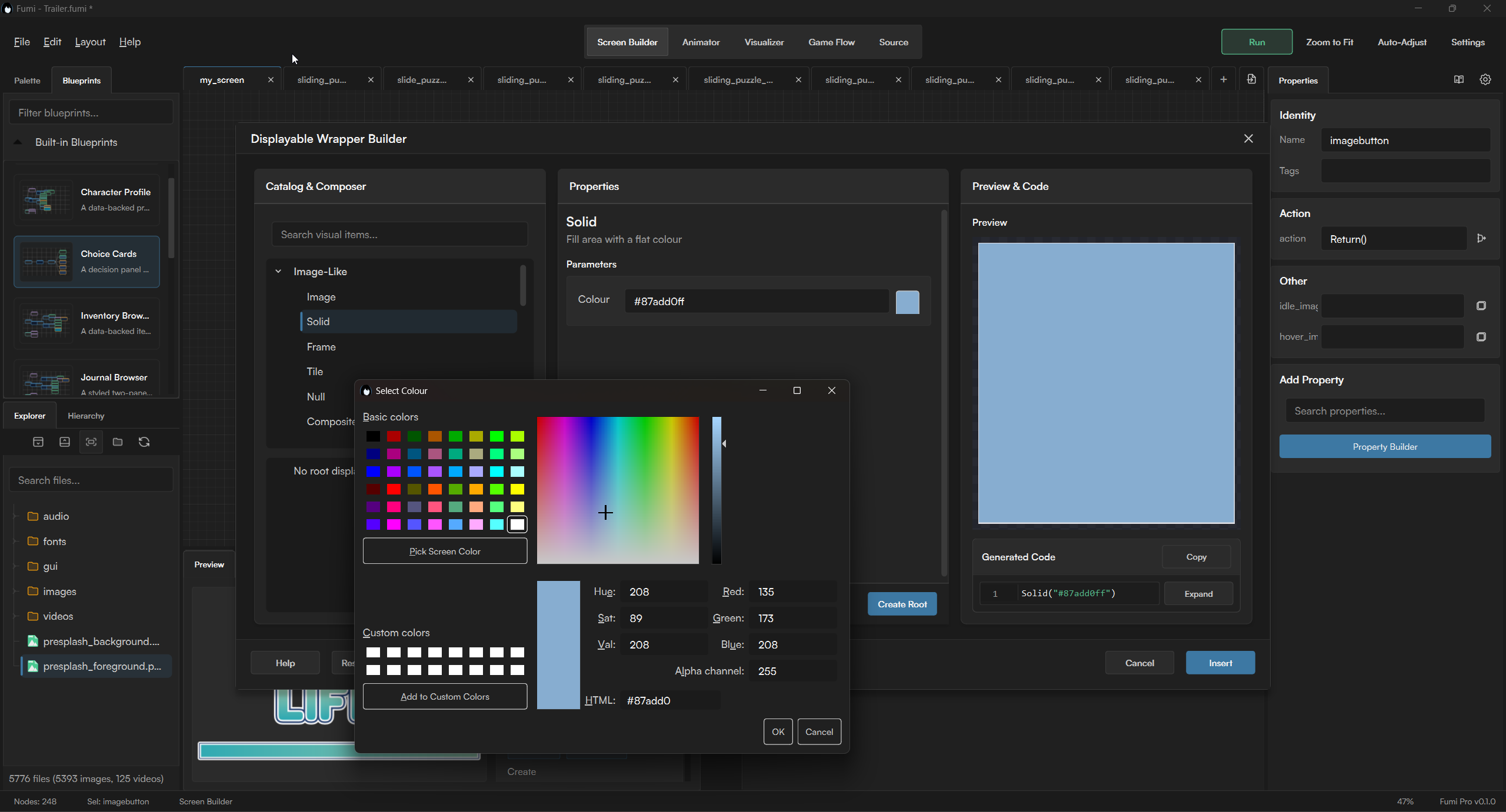
Select a displayable on the canvas, drag it into position, resize it, and use alignment tools without translating every adjustment into coordinates by hand. The canvas, properties, hierarchy, and generated code all refer to the same underlying screen data.
On Windows, the embedded preview places the running preview beside the editing canvas. This allows you to adjust the screen and inspect the result from the same workspace instead of constantly switching between separate windows.
Direct Preview Editing (ALPHA) goes a step further: supported objects can be selected and moved directly inside the running embedded Ren'Py preview itself. This feature is highly experimental and currently supports only a subset of screen structures and displayables.
Why BETA? Visualizer is one of Fumi's most ambitious workspaces, bringing direct visual editing and a live Ren'Py runtime into the same workflow. That also makes it one of the hardest parts of Fumi to get right. Support is still incomplete, some screens won't behave correctly yet, and plenty of bugs are still waiting to be found.
Source Workspace
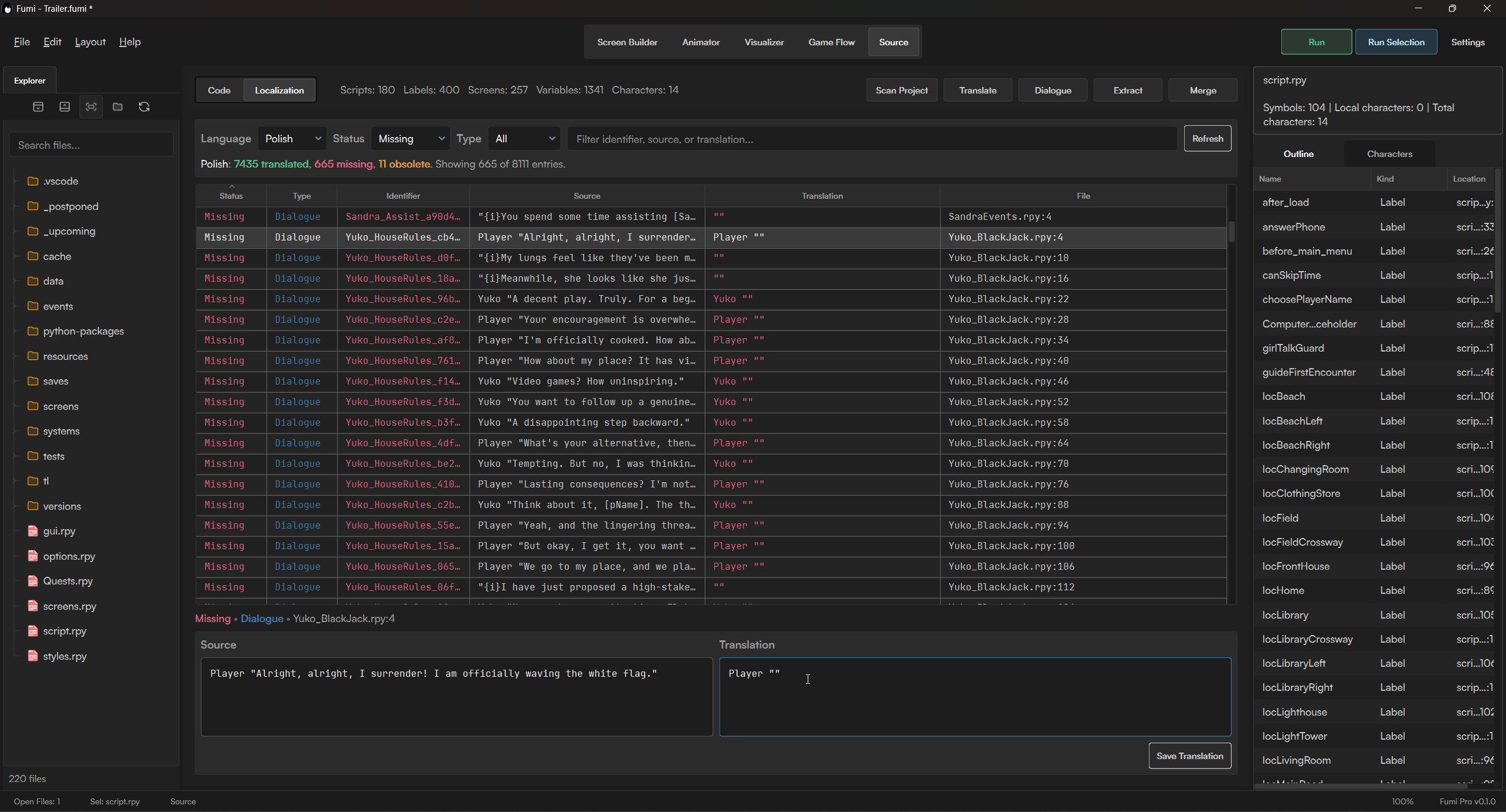
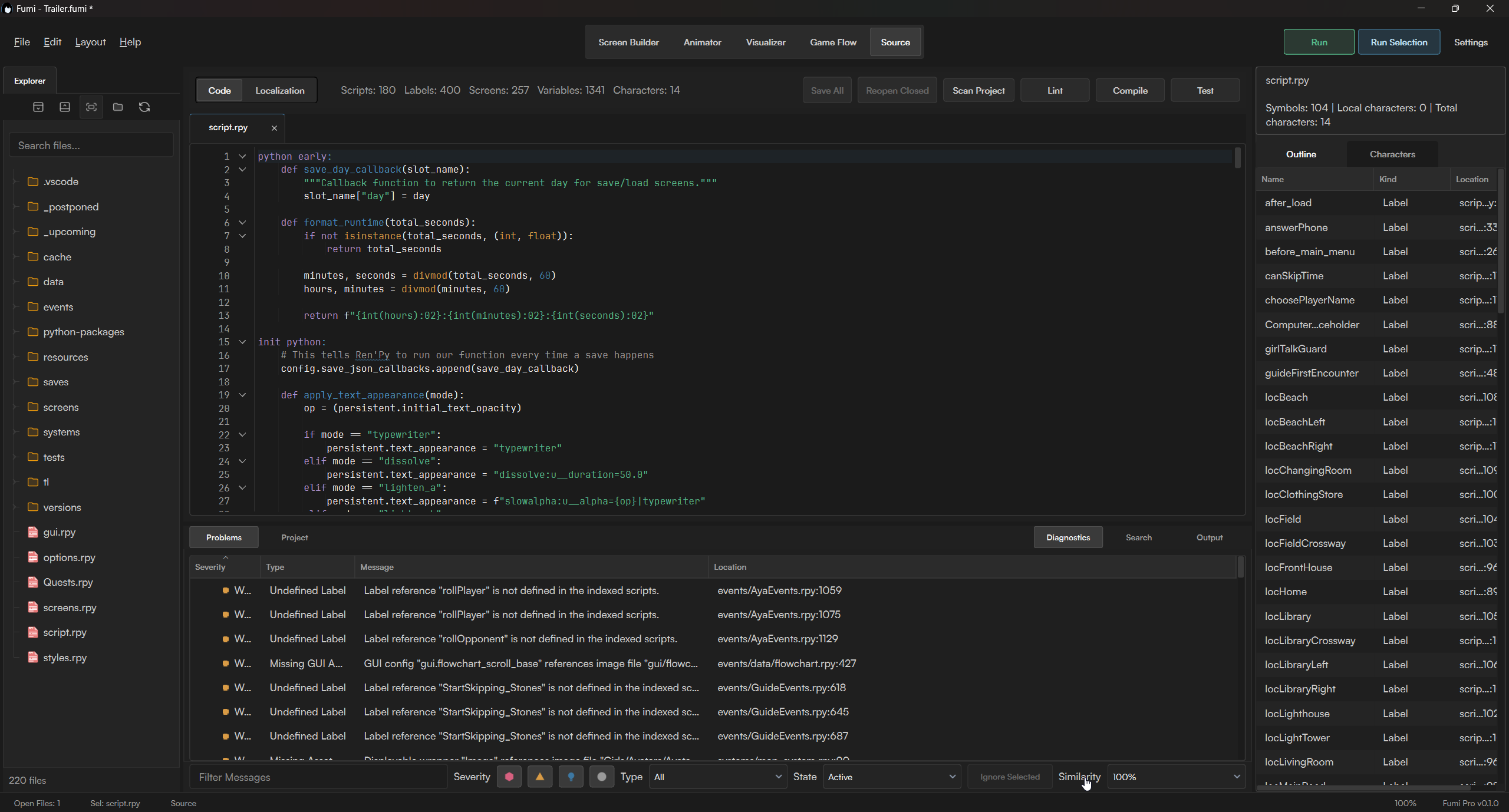
Source Workspace is designed for smaller edits, project navigation, localization, and diagnostics rather than replacing a full code editor. You can browse and edit the .rpy files already in your project, search across multiple files, and perform project-wide replacements.
Code generated by Screen Builder or Animator is not inserted into your project automatically. You choose where to paste it into your .rpy files, then launch your actual Ren'Py project at the current selection to test that part of the project directly.
Project Tools
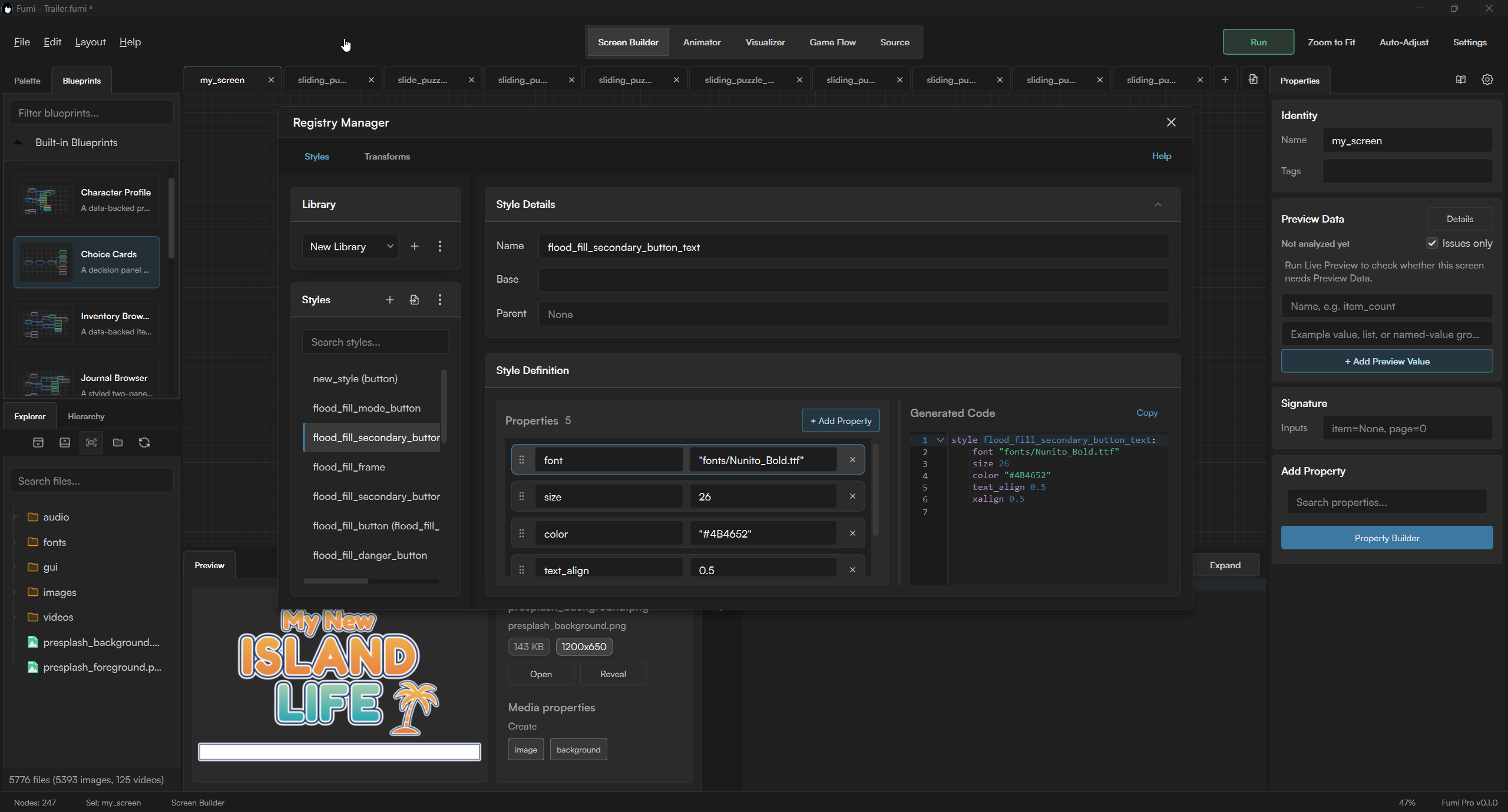
Shared project tools remain available alongside the five workspaces, helping you manage assets and reusable Ren'Py resources without interrupting the current task.
Plans & Pricing
Free is available for learning, evaluation, and non-commercial projects. Basic and Pro are one-time purchases that add commercial rights and more advanced tools. Studios and organizations use Fumi through paid seats for their teams.
Basic and Pro prices may increase over time as Fumi continues to grow and new features are added.
Free
Build screens, explore project flow, and manage project resources for non-commercial work.
- Non-commercial projects only
- Screen Builder & Live Preview
- Ren'Py Code Generation
- Game Flow
- Project File Browser
- Registry Manager
Basic
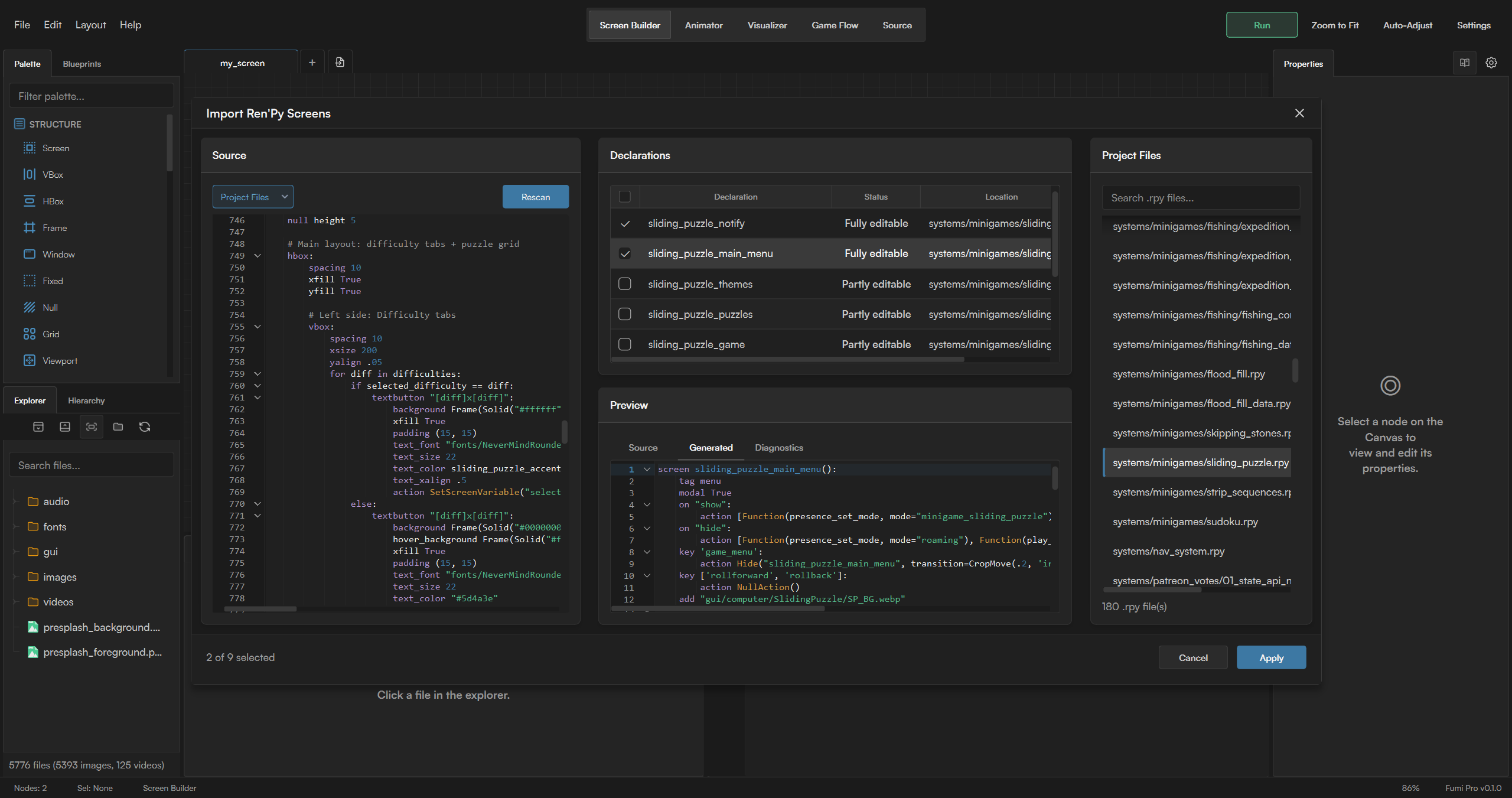
Use Fumi commercially, import existing Ren'Py work, and create ATL animations through the visual timeline.
- Everything in Free
- Commercial use
- Ren'Py Importer
- Animator
Pro
Unlock the complete Fumi toolset for canvas editing, source work, and project inspection.
- Everything in Basic
- Visualizer (BETA)
- Embedded Preview (Windows)
- Source Workspace
- Diagnostics & Localization
Work created with Free can be used commercially once the required Basic or Pro license or organization seat is obtained before commercial release or monetization.
Feature Comparison
| Feature | Free | Basic | Pro |
|---|---|---|---|
| Commercial use | - | Yes | Yes |
| Screen Builder & Live Preview | Yes | Yes | Yes |
| Ren'Py Code Generation | Yes | Yes | Yes |
| Game Flow | Yes | Yes | Yes |
| Project File Browser | Yes | Yes | Yes |
| Registry Manager | Yes | Yes | Yes |
| Animator | - | Yes | Yes |
| Ren'Py Importer | - | Yes | Yes |
| Visualizer (BETA) | - | - | Yes |
| Embedded Preview (Windows) | - | - | Yes |
| Source Workspace | - | - | Yes |
| Diagnostics & Localization | - | - | Yes |
Free license restriction: Any output generated by Fumi Free may only be used in non-commercial projects unless the required Basic or Pro license or organization seat is obtained before the project is commercially released or monetized. Monetized uses include, but are not limited to, retail sales, crowdfunding, subscriptions, donations, advertisements, and microtransactions.
License note: Individual paid licenses are granted to one person and may be used on that person's own devices. Businesses, studios, and organizations may purchase seats instead. Each organization seat permits Fumi to be used on one workstation at a time and may be used by different authorized team members at different times. Simultaneous use on multiple workstations requires one paid seat for each workstation in use. Fumi does not claim ownership of projects, assets, source files, or generated Ren'Py code. Fumi is not affiliated with or endorsed by Ren'Py or its maintainers.
First release note: Fumi is a large application with several interconnected workspaces, and this is its first public release. It has been used extensively during development, but wider public use may still uncover bugs, edge cases, or project configurations that haven't been encountered yet. Bug reports and reproducible cases are welcome.
Current display limitation: I currently can't guarantee perfect UI layout on displays below 1920×1080. Fumi is primarily tested at 1080p and above, with 1280×720 planned as the minimum supported resolution later on. It should still be usable at 1280×720, but some controls may overlap or be partially hidden, and the overall interface can feel cramped
Compatibility Notice: Live Preview is verified for Ren'Py 8.3 - 8.5.3. Support for older versions (e.g., 7.x / 8.2) is currently not guaranteed.
Windows security notice: The current Windows build is not digitally signed with a commercial code-signing certificate, so Windows SmartScreen may show an "unrecognized app" warning. Windows Defender or other antivirus software may also occasionally flag the installer as a false positive.
Download
Click download now to get access to the following files:
Development log
- Fumi 0.1.0 is now available1 day ago